Set up Reckon and place your first paper trade.
Install the extension, sign in, trade a coin at live prices, and watch the trade land in your Journal. Then use the tools that show you whether you're actually getting better.
- STEP 01
Add Reckon to Chrome
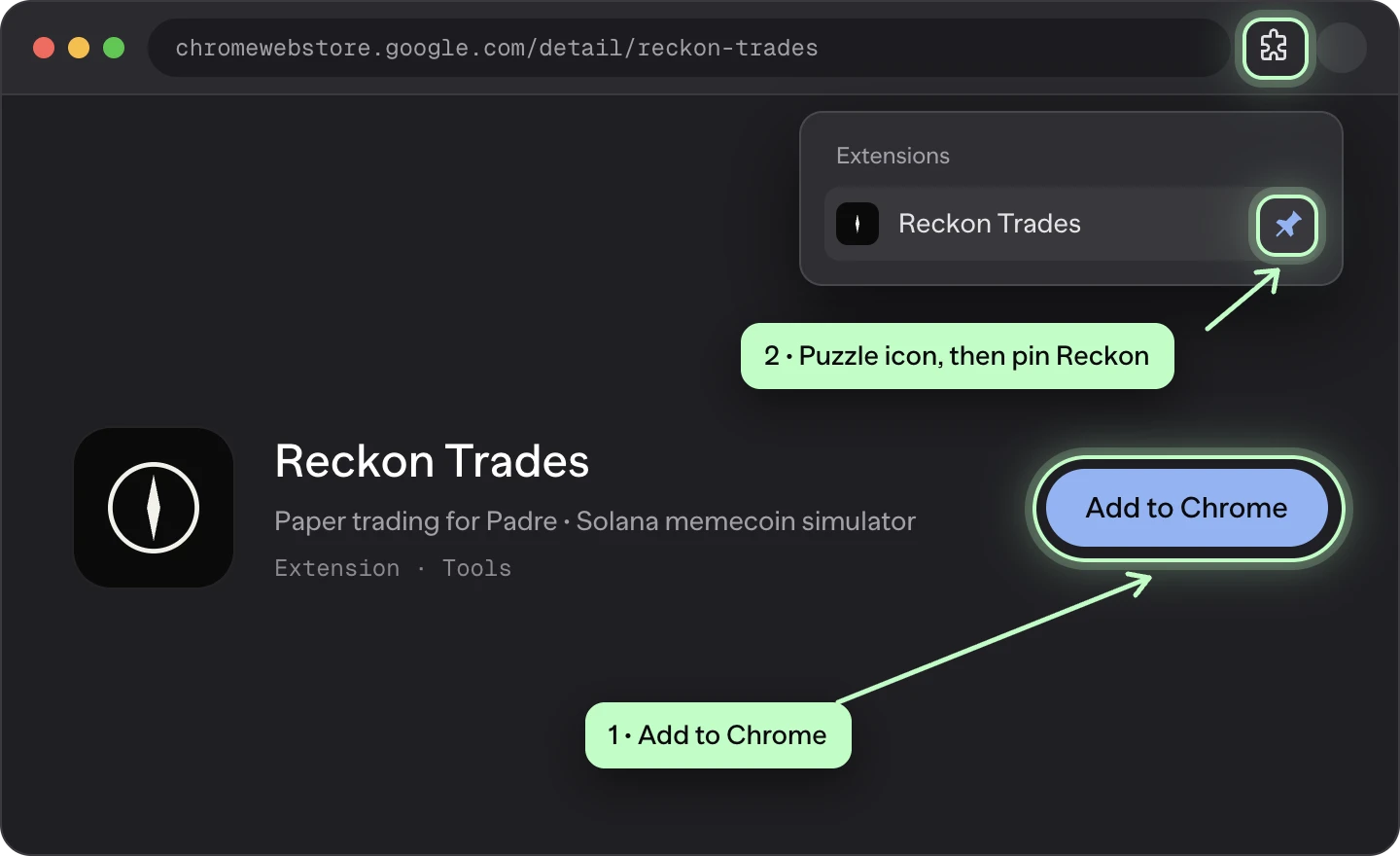
Open Reckon Trades on the Chrome Web Store and press Add to Chrome. Then open the puzzle icon in your toolbar and pin Reckon so it's one click away.
- Free, works in Chrome on a computer
- Never asks for a seed phrase or wallet signature
- STEP 02
Sign in with Google, X or Phantom
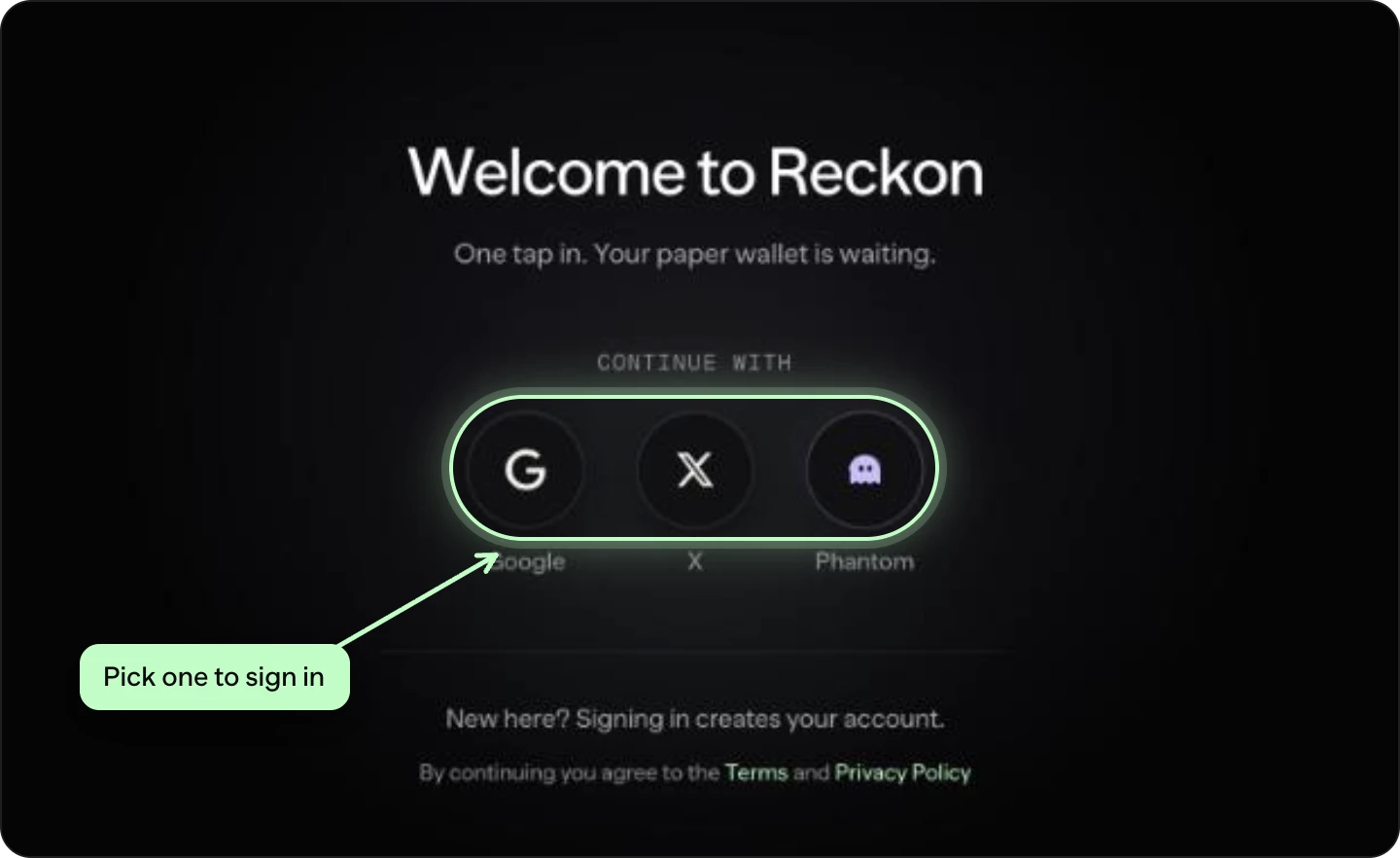
Open any coin on Padre and press Sign in on the Reckon panel, or sign in at reckontrades.com. Pick one of the three buttons. The account is free, and new accounts create themselves.
- No email or password to remember
- Your paper wallet starts with 50 paper SOL
- STEP 03
Let it connect this browser
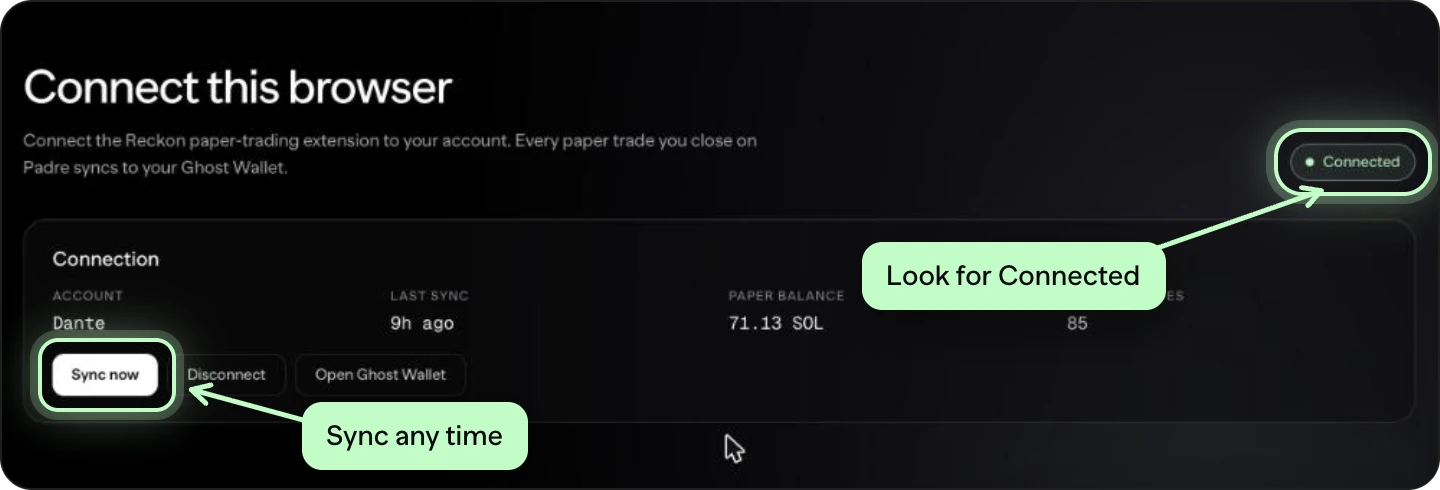
After you sign in you land on reckontrades.com/extension. It finds the extension and connects it to your account on its own. When you see Connected, you're set.
- Not connected? Press Connect extension on the same page
- Sync now pushes your latest trades right away
- STEP 04
Place your first paper trade
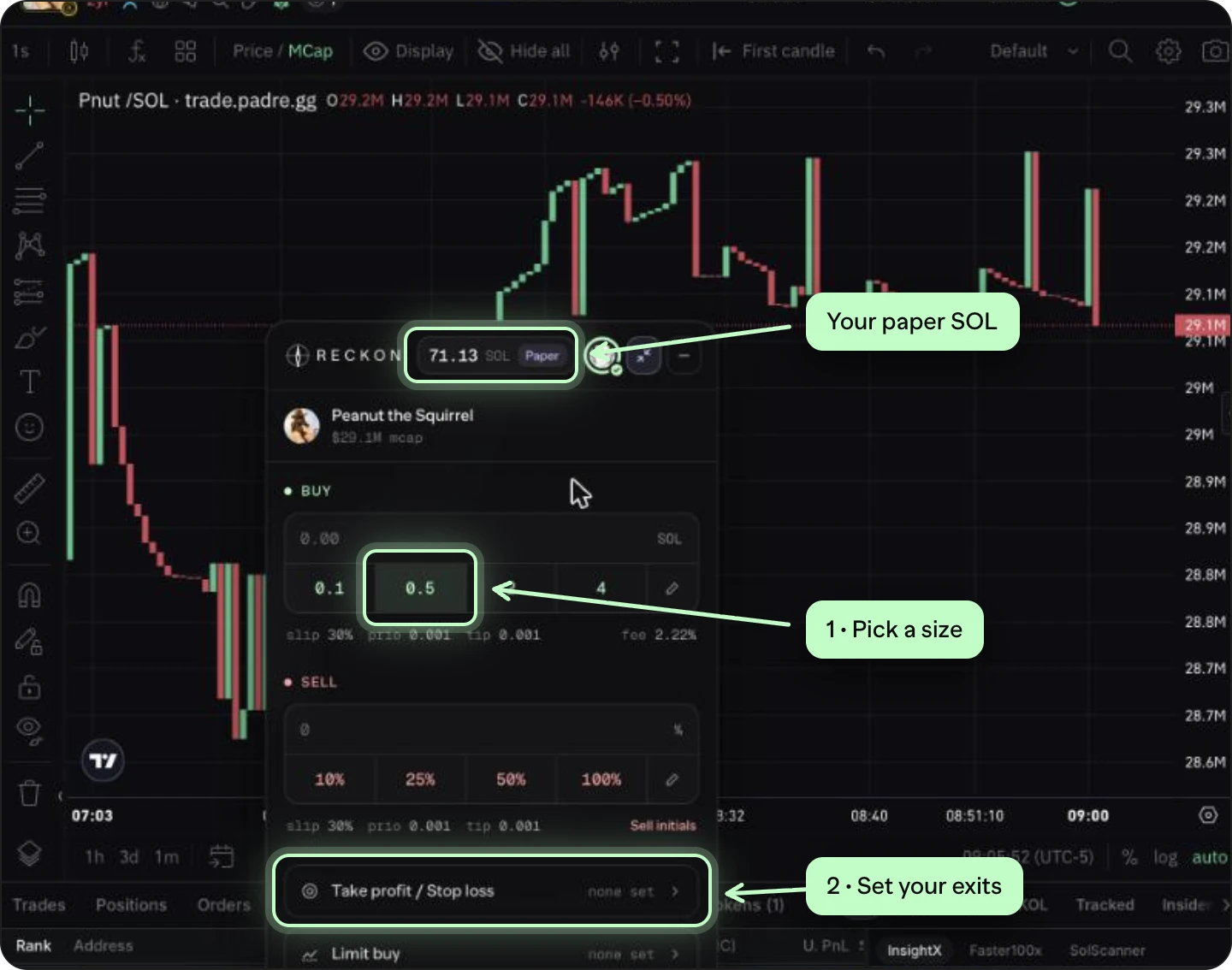
Open a coin on Padre. The Reckon panel floats over the chart. Tap a buy size or type your own, and the order fills at the live market cap with slippage and fees applied, so the result is honest.
- Set take profit and stop loss before you need them
- Axiom and GMGN are coming in extension 1.0.7
- Sells are never blocked, even on the free plan
- STEP 05
See it in your Journal
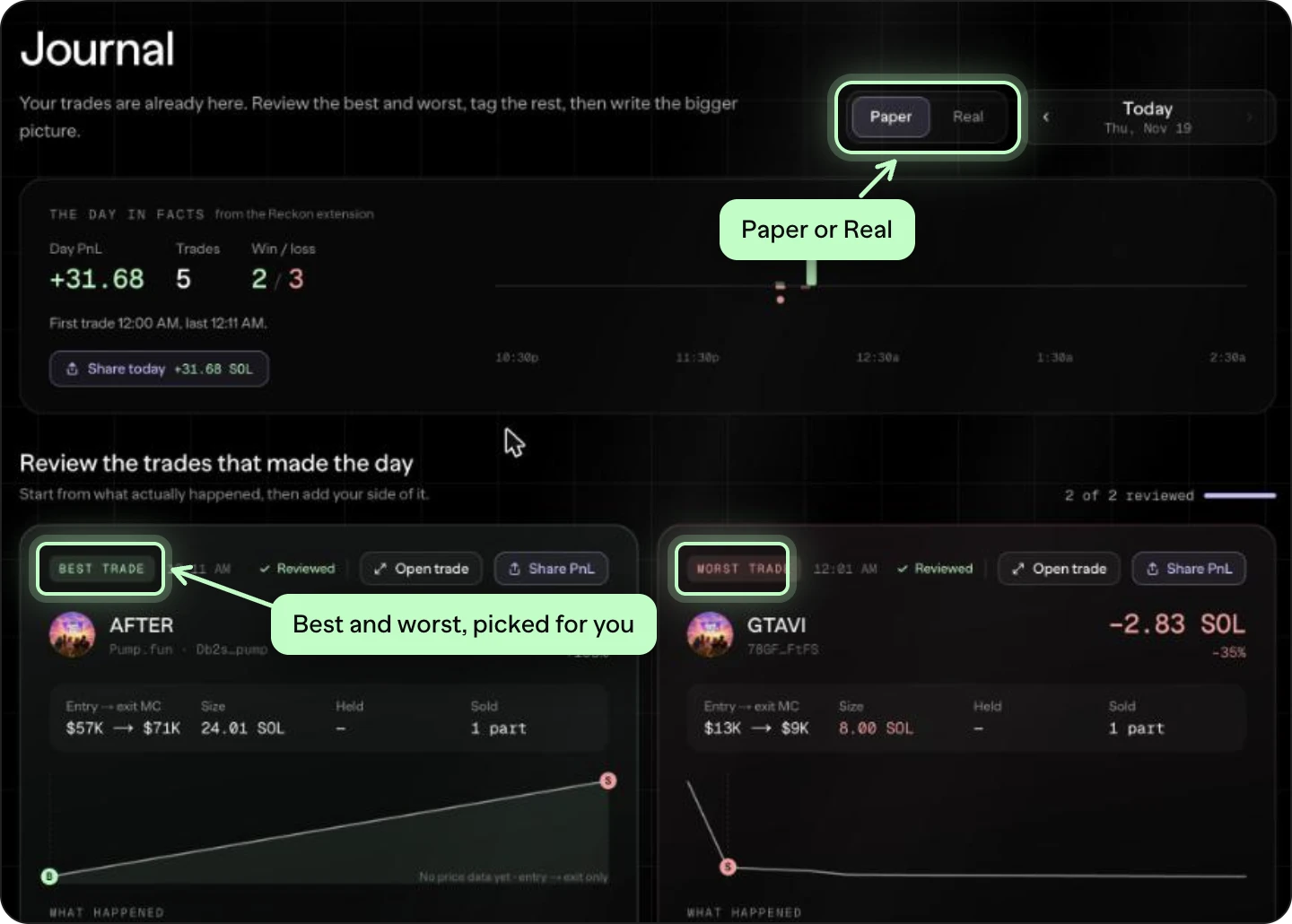
Every closed trade syncs to the webapp. The Journal keeps each day's best and worst trade for you, with what happened in plain words, so you review the trades that mattered instead of scrolling a list.
- Free shows your last 7 days
- Switch to Real to journal your real wallet (Pro)
- STEP 06
Set a goal and check if you're getting better
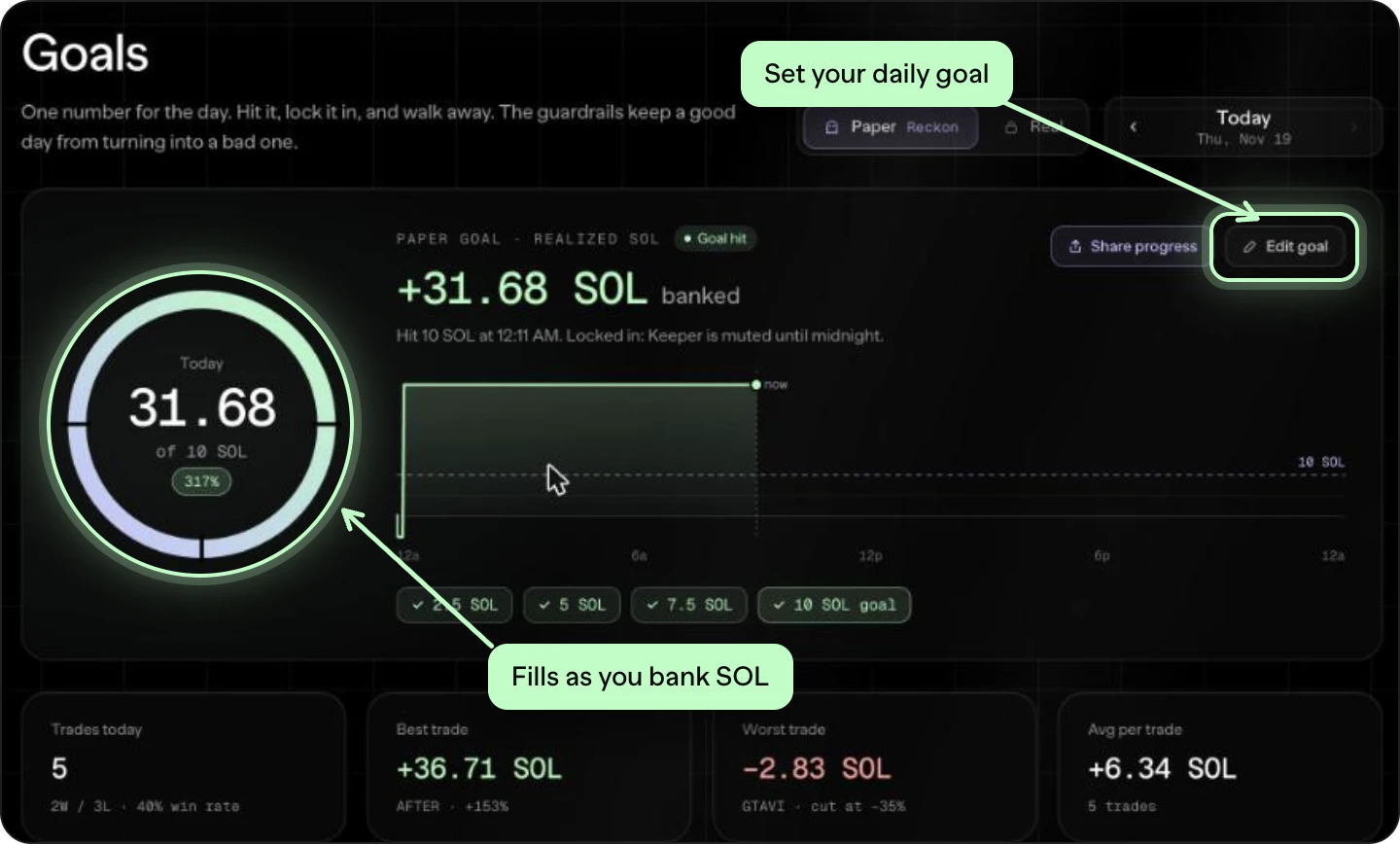
On Goals, set one number for the day. The ring fills as you bank profit, and guardrails like a daily stop-loss keep a good day from turning bad. With Pro, link your real wallet in Paper vs Real Money to see if your paper habits hold up with real money.
- Edit goal sets your daily target and max loss
- Paper vs Real Money shows the gap between practice and real trades
Learn each tool
GuidesQuestions
Do I need a wallet or seed phrase?
No. Paper trades are simulated. Reckon never asks for private keys or seed phrases and never moves real funds.
Which sites does the extension work on?
Padre, Axiom and GMGN, on Solana. Photon is next.
My trades aren't showing in the Journal.
Open reckontrades.com/extension and check it says Connected to your account, then press Sync now.
Is it free?
Yes. Free includes 1 paper wallet, 20 paper buys a day, 7 days of history, the Journal and Goals. Pro removes the limits and adds the real-wallet tools for $24/month or $199/year.
Ready? Your first paper trade is two minutes away.
50 paper SOL, no card, no seed phrase.